Face-Recognition Attendance System
October 1, 2024 · 3 min read · Shipped
The Problem
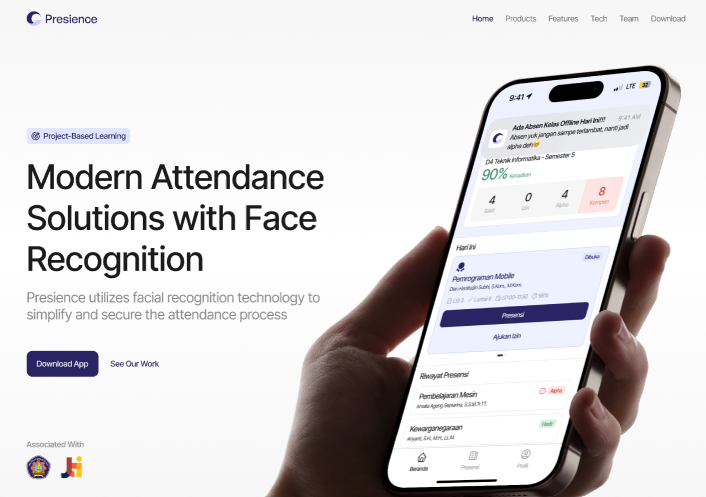
Manual student attendance tracking is slow, error prone, and easy to game. Attendance sheets get lost, permit letters pile up on desks, and nobody can verify after the fact who was actually in the room. The goal was to automate check-ins with face recognition while keeping scheduling, attendance records, and permits manageable through one system.
My Role
As System Analyst and Back End Developer, I analyzed user requirements, designed the system workflows, flowcharts, and ERD, then built the backend that powers both the admin dashboard and the mobile client.
Analysis and System Design
I started by mapping how attendance and permits actually work on campus, then turned that into design artifacts the whole team could build from:
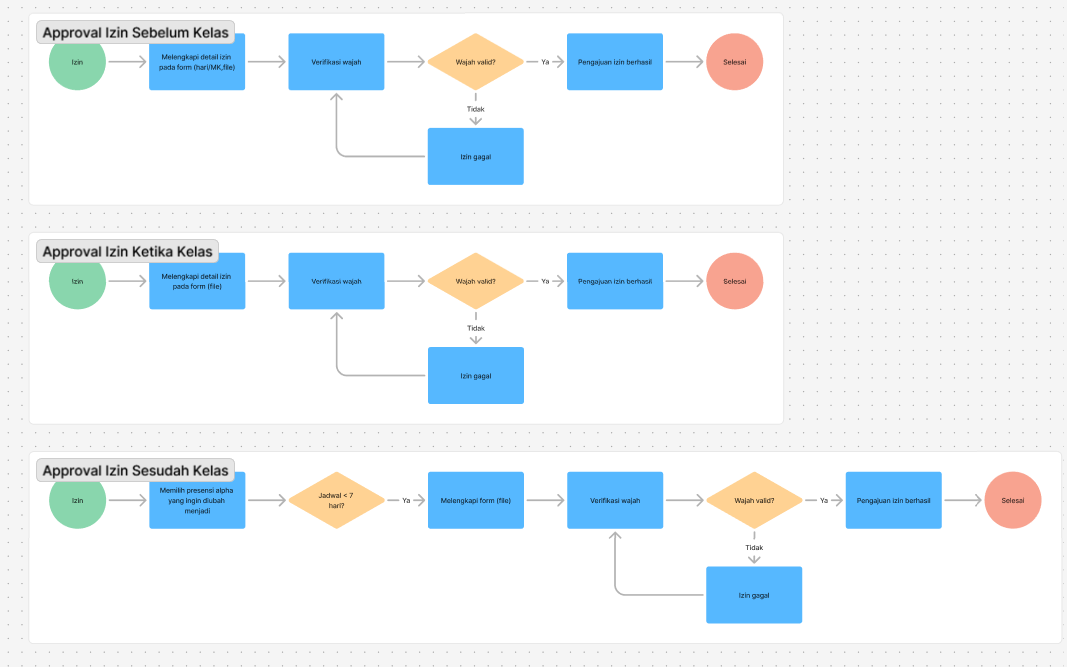
- Flowcharts for the permit approval flows, covering permits filed before, during, and after class, each with a face verification step
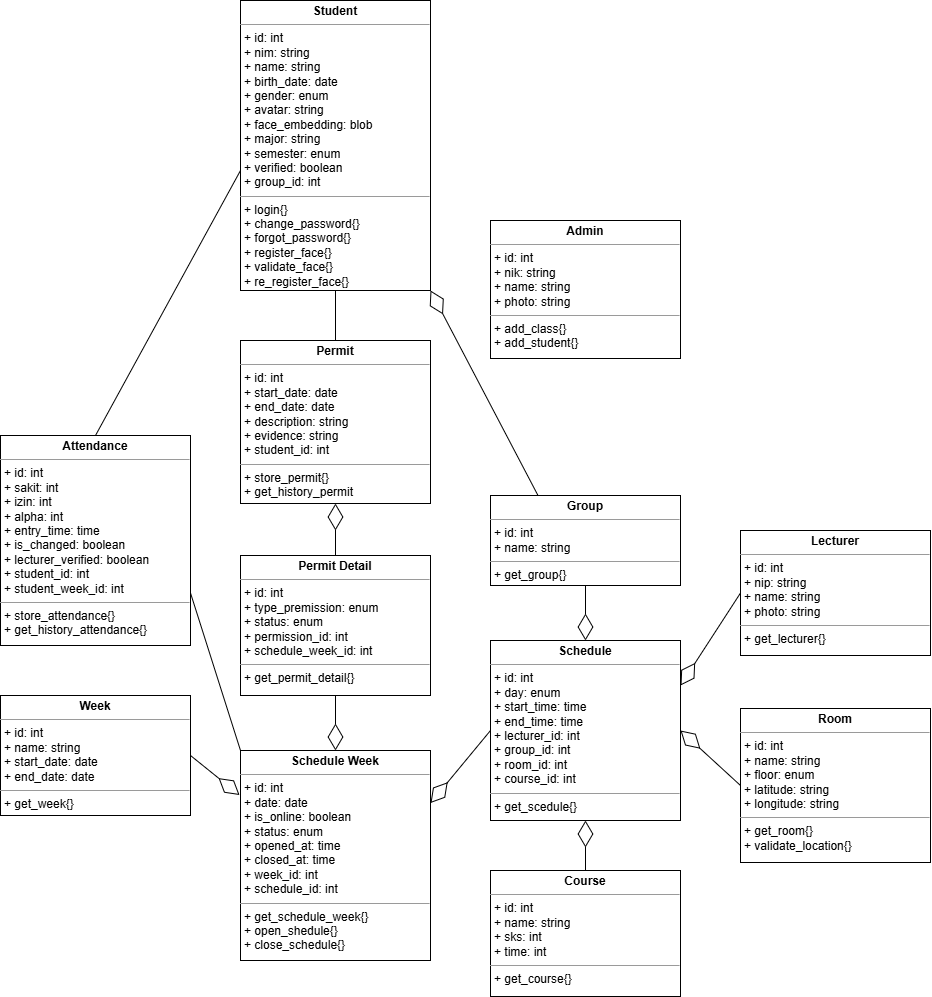
- Class diagram modeling students (including face embeddings for recognition), admins, lecturers, groups, schedules, rooms, courses, attendance records, and permits
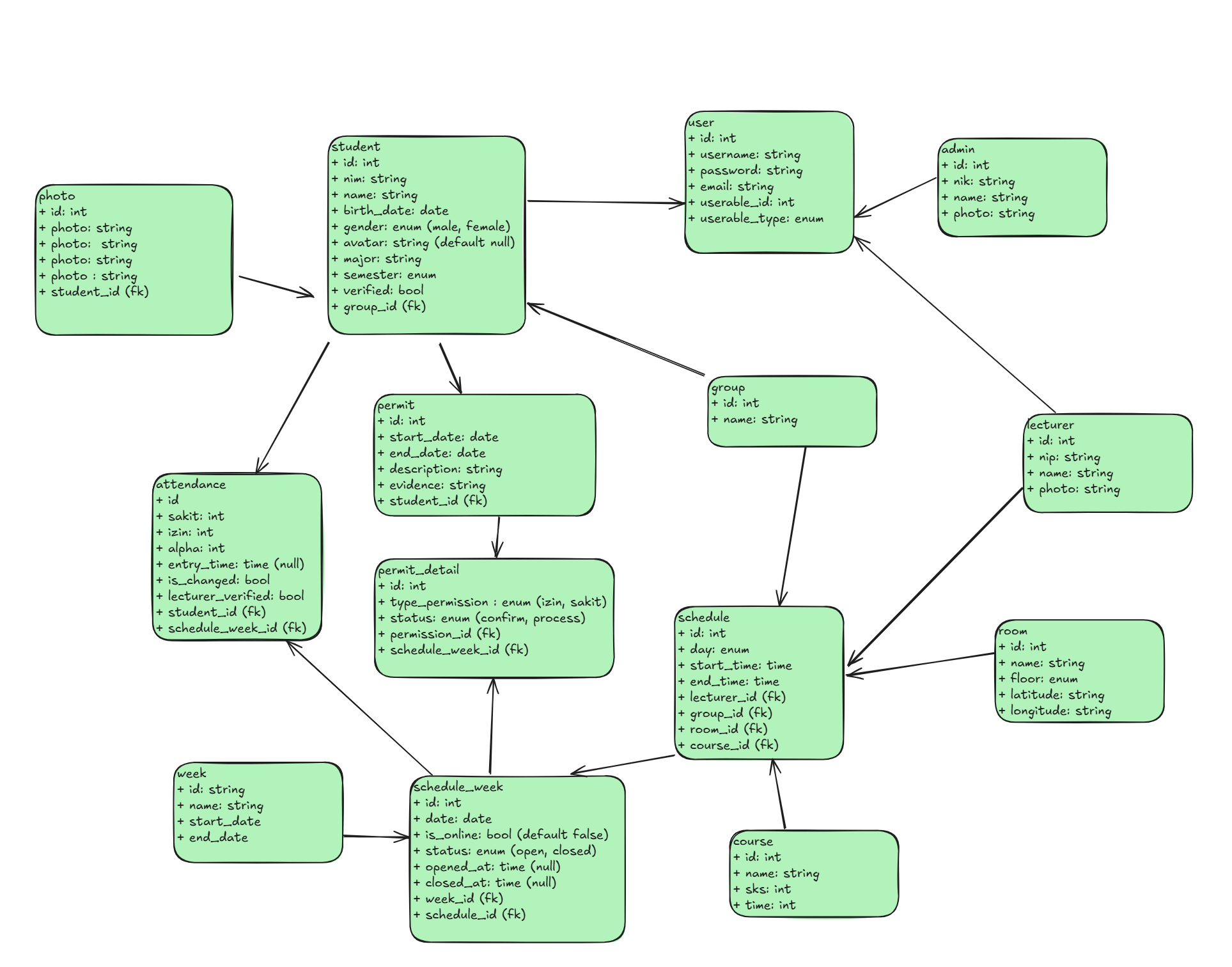
- Database design sketching every table, from photos and face data to schedules, attendance states (sakit, izin, alpha), and permit details
What I Built
Using Laravel, MySQL, Cloudinary, and Filament, I built the system that automates student attendance tracking:
Face-Recognition Attendance
- Automated check-ins matched against registered face embeddings, with re-registration support when a student’s appearance data needs updating
- Face image storage and handling through Cloudinary
- Lecturer verification flag on attendance records so a check-in can require human confirmation
- Filament admin dashboard for monitoring attendance records, schedules, and permits
RESTful APIs
I designed and implemented the API surface the mobile app consumes:
- Authentication and token management (login, password changes, password recovery)
- Scheduling endpoints for classes, weeks, rooms, and courses
- Attendance tracking endpoints, including history per student
- Permit management endpoints for filing permits with evidence and tracking approval status
- A location-aware endpoint tying attendance to the classroom coordinates stored per room
Permit Workflows
Students can file permits with supporting evidence before, during, or after class. Each flow verifies the student’s face, then routes the permit for approval, with full history visible to both students and admins.
Technical Stack
- Backend: Laravel serving RESTful APIs
- Database: MySQL, designed from my own ERD
- Media: Cloudinary for face image storage
- Admin: Filament dashboard
What I Learned
Designing the API surface first, covering auth, tokens, schedules, attendance, and permits, kept the mobile integration smooth, and the ERD work up front saved several refactors later. This project also taught me to design for distrust: every attendance claim in the system is backed by either a face match, a lecturer check, or a paper trail.